Frequently Asked Questions

Personalization in Employee Training

What is the difference between courseware personalization and portal personalization in employee training?

Courseware personalization allows learners to control what they learn and when, such as setting up avatars, choosing learning objectives, and selecting preferred media formats (e.g., video or PDF). Portal personalization enables learners to customize their learning environment, set up user profiles, receive content recommendations, and track progress via dashboards. Combining both approaches creates a more relevant and engaging learning experience. Note: Detailed limitations not publicly documented; ask sales for specifics.

How does AllenComm implement personalization in training solutions?

AllenComm implements personalization by designing learning paths tailored to specific roles, allowing learners to set preferences and receive targeted content. For example, a video surveillance company received role-based learning paths for sales, installation, and design experts, resulting in more focused and relevant training. Portal personalization includes user profiles, content recommendations, and dashboards for tracking progress. Note: Customization level depends on project scope and client requirements.

What are the benefits of combining courseware and portal personalization?

Combining courseware and portal personalization enables a seamless learning experience where learner input from courses can inform portal layouts, and portal profiles can personalize course content. Features like gamification can connect course achievements to portal leaderboards, increasing motivation and social learning. Note: Integration complexity may vary based on existing systems.

Features & Capabilities

What features does AllenComm offer for personalized learning?

AllenComm offers tailored learning paths, user profile-based content recommendations, dashboards for tracking progress, gamification, and support for multiple media formats. Integrations with LMS, LCMS, LXP, HRIS, CRM, and ERP systems enable unified learning ecosystems. Note: Some advanced features may require additional integration or customization; ask for details during scoping.

Does AllenComm support integration with other platforms and systems?

Yes, AllenComm supports integration with commercial LMS, LCMS, LXP, HRIS, CRM, ERP, and specialty applications for skills management, gamification, microlearning, and adaptive learning. AI and data integration enable seamless reporting and actionable insights. Note: Integration capabilities may depend on the third-party platform's API and technical requirements.

Does AllenComm provide an API for custom integrations?

Yes, AllenComm supports xAPI (Tin Can) for learning data tracking and integrations, and also offers a proprietary API for use cases such as integrating with other systems, retrieving and populating course data, and supporting mobile learning experiences. Note: API documentation and support may vary by project; contact AllenComm for specifics.

Use Cases & Benefits

Who can benefit from AllenComm's personalized training solutions?

AllenComm's solutions are designed for corporate leaders, sales teams, learning and development professionals, organizations adopting AI, and new hires. Industries served include financial services, healthcare, food & beverage, travel, high-tech, retail, insurance, energy, manufacturing, logistics, consumer goods, aviation, and social media. Note: Suitability for highly specialized or regulated industries may require additional customization.

What business impact can organizations expect from using AllenComm's personalized training?

Organizations can expect improved employee performance, measurable ROI, cost savings, enhanced customer experience, future readiness through AI integration, increased revenue, and reduced onboarding time. For example, effective onboarding programs can improve new-hire productivity by 50% and increase retention rates by nearly 60% over three years. Note: Actual results may vary based on implementation and organizational context.

Can you share specific case studies of successful personalization projects?

Yes. For example, AllenComm worked with Pure Storage to create the 'Simply Pure' program, which unified over 5,600 team members globally and saw over 2,300 voluntary participants in the first six months. Delta Airlines scaled and reinvigorated its training programs, and Domino’s Pizza improved onboarding with gamification and simulations. See more at AllenComm's case studies page. Note: Outcomes are project-specific and may not generalize to all organizations.

Technical Requirements & Implementation

How long does it take to implement AllenComm's personalized training solutions?

Implementation time depends on project scope and current systems. Most clients experience immediate improvements in learner engagement and reduced administrative complexity once integrations go live. AllenComm provides streamlined onboarding, discovery conversations, and downloadable guides to support the process. Note: Large-scale or highly customized projects may require longer timelines.

What technical documentation and support resources are available?

AllenComm provides system administrator documentation (integrated into Zendesk for 24/7 access), maintainable templates and documentation for Storyline courses, and downloadable guides such as the AI Agent Guide and Buyer's Guide. These resources help clients manage and scale their solutions independently. Note: Availability of some resources may depend on project type and client agreement.

Customer Feedback & Success Metrics

What feedback have customers given about the ease of use of AllenComm's personalized training?

Customers have highlighted simple visuals, intuitive navigation, and accessibility across devices as key strengths. Microlearning solutions are praised for their smart content architecture and technical portability. For example, Valerie Iorg from American Express described their online training as 'extremely comprehensive yet very easy to use.' Note: User experience may vary depending on customization and deployment environment.

Pain Points & Problem Solving

What common challenges does AllenComm address with its personalized training solutions?

AllenComm addresses fragmented learning ecosystems, uncertainty in technology selection and integration, sales enablement gaps, cost inefficiencies, difficulty proving ROI, AI readiness, and ineffective onboarding. Solutions include personalized learning journeys, advisory services, and tools for measurement and evaluation. Note: Some challenges may require additional consulting or integration work.

Company & Customer Proof

Who are some of AllenComm's customers for personalized training solutions?

AllenComm has delivered personalized training for organizations such as Delta Airlines, Nestlé, Panera Bread, Pure Storage, BD, HP, AONL, McElroy Metal, and Stellar. See more at AllenComm's portfolio. Note: Not all solutions are public; contact AllenComm for additional references.

Opens in a new tab
Sign in / Register
CONTACT US:(801) 537-7800
Adding Personalization in Courses or Portal

ALLENCOMM BLOG | Insights

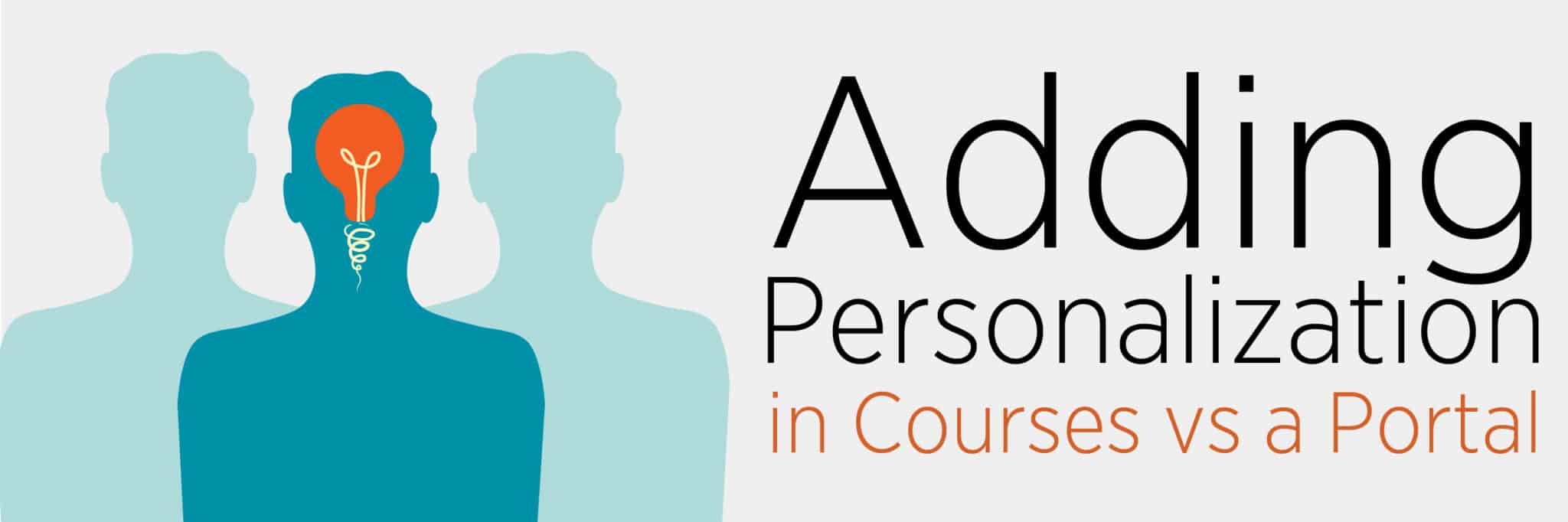
Adding Personalization to Employee Training in Courses vs Portal

May 5, 2016

Quick! A pipe just burst in your house and your kitchen is flooding. Now, imagine instead of a having smartphone ready to look up a local plumber, you’ve been handed a book containing every plumber’s number in your country, forcing you to find someone local in its pages. As water starts to lap around your ankles, you curse how long it takes to find what you need.

For some employees, using their company’s LMS can feel just like this: a flood of content masking the relevant information they need to learn. While it’s critical that learners have all content available if it’s needed, in reality, learners only need a small portion of the information at any given time. And learners want what’s right for them. Having to sift through pages and pages of dense content often leads to disengagement and a decline in learning motivation.

Why Personalization?

One of the easiest ways to increase learner motivation and engagement is to allow for more personalization in your elearning strategies. When learners are able to control what they learn and how they approach it, they’re more likely to see training as an opportunity for growth rather than a chore.

Two big-picture approaches are courseware personalization (control of content and learning) and portal personalization (control of social learning interactions and learning environments).

Courseware Personalization

Courseware personalization can range from letting users enter their name and set up an avatar for their course (imagine a course that said “Welcome back, Trevor!” on its home page), to letting learners control what learning objectives they want to master, and the timing and methodology of that learning. Some learners are best engaged with videos, others may learn best with a PDF—by allowing multiple media options, your learners will engage in the way they learn best.

Another example of personalized courseware is learning paths. One of my first projects at Allen was working with a team to create trainings for a video surveillance company that employed sales, installation, and design experts. Rather than give their learners a single training that tried to incorporate all of these roles, we designed a learning path that gave all employees a foundational knowledge, then branched into three different role-based learning paths. The result was that we were able to make each path more focused on specific skills and used more nuanced language for each role (more technical for the installers, more conceptual for site designers, etc.).

Portal Personalization

While courseware personalization lets learners control what they learn, being able to personalize their learning portal allows learners to how they approach learning. A portal can be more than just a tool for organizing and delivering content; it can make the learning process more relevant, more immediate, and more engaging.

A common learning portal solution is to allow learners to set up user profiles, much like social media, where they can enter their roles and learning objectives, and receive content recommendations based on their profile information. Other solutions like dashboards can provide learners with an instant view of what they’ve been working on and their progress along their learning paths, allowing them to see the most relevant content right away.

In our use case about implementing personalization through portal, we discuss how learners and learning managers can benefit:

“Using personalization allows you to scale your learning infrastructure across the enterprise by giving relevant information to multiple audiences. […] As you gain the insights about what is most needed, you get a deeper understanding of what content your learners, or customers, think is most important to your business. This is a good indicator of where to invest your learning budget.

Combining Courseware and Portal

These two strategies don’t have to be mutually exclusive, or even exist separately. Learner input from courses can inform the layout of a portal landing page, and profile information within a portal can be used to make courseware content more personal.

For instance, say a learner enters “systems mastery” as one of their learning interests. Later, when they receive feedback in a course, it can be tailored to include that interest: “And you’ll be one step closer to systems mastery!”

Another example of combining courseware and portal personalization is through gamification. When a learner plays a game and receives a personal high score, that score could then be posted to a portal-based high scores table for the entire company. This increases social learning and motivates learners to not only beat their own best score, but the scores of their peers.

Key Takeaways

  1. Courseware personalization allows learners to control what they learn and when they learn it, which increases motivation and engagement while making learning more relevant.
  2. Portal personalization allows learners to sort relevant content for immediate use, set learning in a social environment, and gives learning managers more accurate analytics.
  3. Combining courseware and portal personalization can be done through a number of solutions, creating a seamless learning experience that puts the learner in control.

Are you doing personalization in your training? If not, what are the obstacles in your company?

Resources For L&D Leaders

free guide

a buyers guide to l&D services
In today’s world, it can be hard to balance learner needs and stakeholder expectations. We want to see you thrive and get the most out of your investments. Snag our free buyer’s guide with the top 5 questions you should ask when looking at potential L&D partners.
get the free guide

free guide

what to look for in onboarding
Effective onboarding begins even before someone’s first day, and it continues months after as the new hire finds their purpose and value within the team. Explore insights into what makes a successful employee experience, and dive deeper into creating meaningful moments that build confidence, behaviors, and affiliation for better outcomes.
get the free guide

This site uses cookies to enhance your browsing experience. These cookies help us understand how you interact with our website, remember your preferences, and improve our services. They also provide insights for analytics and performance tracking across this site and other media. To learn more about the cookies we use, please review our Privacy Policy.

Accept