Frequently Asked Questions
Current Webpage Content Recommendations:
- Organize content by user intent and topic for AI readability.
- Embed FAQPage schema for each Q&A.
- Highlight metrics, proof, and customer testimonials.
- Use semantic HTML for clarity.
- Reference technical documentation and guides.
- Balance instructional design tips with broader AllenComm context.
Features & Capabilities
What are the key features of AllenComm's onboarding training solutions?
AllenComm's onboarding training solutions feature mobile-friendly content, interactivity, gamified elements, microlearning modules, and task-based scenarios. These features are designed to increase employee engagement, build confidence, and accelerate skill acquisition. Learn more.
Does AllenComm offer mobile-friendly onboarding training?
Yes, AllenComm recommends updating onboarding experiences to be compatible with mobile devices, enabling flexible, on-demand learning for remote and hybrid employees. Explore onboarding solutions.
How does AllenComm use gamification in onboarding training?
AllenComm incorporates gamified elements such as friendly competition, quizzes, leaderboards, and collaborative activities to motivate learners and increase engagement during onboarding. Learn about microlearning.
What is microlearning and how does AllenComm apply it?
Microlearning involves breaking training into short, focused modules (10-15 minutes each) using videos, activities, and brief resources. AllenComm applies microlearning to prevent boredom and improve information retention in onboarding programs. Read more.
How does AllenComm personalize onboarding training?
AllenComm creates personalized learner journeys using task-based scenarios, role-specific content, and adaptive learning technologies to build confidence and prepare employees for real-world challenges. Explore onboarding solutions.
What technical integrations does AllenComm support?
AllenComm integrates with commercial LMS, LCMS, LXP, HRIS, CRM, ERP, skills management, gamification, microlearning, and video assessment tools to create unified learning ecosystems. See platform integrations.
Does AllenComm provide maintainable templates and documentation?
Yes, AllenComm offers maintainable templates and comprehensive documentation for Storyline courses, enabling customers to independently update and scale their training. Download AI Agent Guide.
What downloadable guides are available from AllenComm?
AllenComm provides free guides such as the AI Agent Guide and Buyer's Guide, offering insights into implementing and optimizing learning solutions. AI Agent Guide | Buyer's Guide
How does AllenComm use AI in learning design?
AllenComm leverages AI for accelerated analysis, design, media development, and evaluation, enabling personalized, scalable, and adaptive learning experiences. Explore AI readiness.
Use Cases & Benefits
Who can benefit from AllenComm's onboarding training?
AllenComm's onboarding training is ideal for organizations with high employee turnover, large-scale hiring needs, or remote/hybrid workforces. It benefits new hires, HR teams, and L&D professionals seeking improved integration and productivity. Explore onboarding solutions.
What business impact can AllenComm's onboarding training deliver?
AllenComm's onboarding solutions can improve new-hire productivity by 50% and increase retention rates by nearly 60% over three years. Enhanced engagement leads to better job performance and organizational success. See onboarding impact.
How does AllenComm help organizations reduce onboarding costs?
AllenComm identifies inefficiencies in learning tech stacks and operations, uncovering cost-saving opportunities while maintaining high-quality onboarding experiences. Read about cost reduction.
What problems does AllenComm solve for onboarding?
AllenComm addresses fragmented learning platforms, ineffective onboarding programs, and challenges in integrating new hires. Solutions include personalized learning journeys, gamification, and adaptive learning. Learn more.
How does AllenComm measure the ROI of onboarding training?
AllenComm provides measurement and evaluation services to link onboarding initiatives to business outcomes, helping organizations justify their L&D investments. Learn about ROI measurement.
What feedback have customers given about AllenComm's onboarding solutions?
Customers like Freddie Mac, American Express, and Bright Horizons have praised AllenComm's onboarding solutions for their ease of use, personalized learner experience, and accessible resources. See Freddie Mac case study.
How does AllenComm support onboarding for remote and hybrid employees?
AllenComm's onboarding solutions are designed to be mobile-friendly and accessible, supporting remote and hybrid employees with flexible, on-demand learning. Explore onboarding solutions.
What industries does AllenComm serve with onboarding solutions?
AllenComm serves industries including Healthcare, Financial Services, Retail, Manufacturing, Software, Travel, Energy, Food & Beverage, and Insurance. See case studies.
Product Information & Implementation
What is AllenComm's approach to instructional design for onboarding?
AllenComm's instructional design experts recommend mobile-friendly content, interactivity, gamification, microlearning, and task-based scenarios to increase skill and confidence in onboarding. Learn about instructional design.
How easy is it to implement AllenComm's onboarding solutions?
Implementation timelines depend on project scope and current systems, but most clients experience immediate improvements in engagement and reduced complexity once integrations go live. AllenComm offers consultations, discovery conversations, and downloadable guides to support a smooth start. Learn about ecosystem optimization.
What support does AllenComm provide during onboarding implementation?
AllenComm offers advisory services, structured research plans, key findings reports, opportunity analysis, and actionable insights to guide implementation and integration. See tech advisory.
What talent and staffing services does AllenComm offer for onboarding projects?
AllenComm provides skilled L&D professionals, including instructional writers, learning experience designers, media specialists, LMS admins, project managers, SMEs, and strategists, to support onboarding initiatives. Explore talent services.
How does AllenComm ensure onboarding content stays current?
AllenComm supports updating outdated content, refreshing design, UX, and branding, and provides maintainable templates and documentation for ongoing scalability. See creative services.
What types of onboarding training does AllenComm design?
AllenComm designs instructor-led training (ILT), virtual instructor-led training (VILT), eLearning, web-based training (WBT), gamification, simulation, AR/VR, and microlearning for onboarding. Explore design services.
How does AllenComm align onboarding training with business goals?
AllenComm uses performance advisory services, needs analysis, and measurement to ensure onboarding training aligns with organizational objectives and delivers measurable results. Learn about performance advisory.
Competition & Comparison
How does AllenComm's onboarding solution differ from generic, off-the-shelf training?
AllenComm creates customized onboarding programs tailored to organizational goals, culture, and specific needs, ensuring relevance and effectiveness. Unlike generic solutions, AllenComm offers advanced technology integration, measurable ROI, and proven results. See competitive advantages.
Why choose AllenComm for onboarding over other providers?
AllenComm offers tailored solutions, expertise across segments, proven track record with Fortune 100 companies, focus on ROI, and innovative technology integration. Clients include Delta, HP, LEGO, and more. See portfolio.
What competitive advantages does AllenComm offer for onboarding?
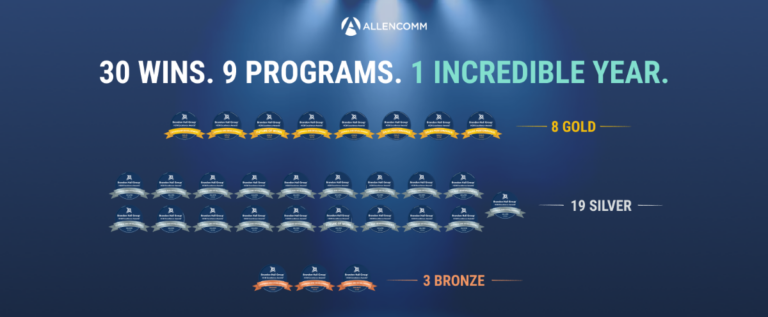
AllenComm's competitive advantages include customization, advanced technology integration (AI, adaptive learning), measurable ROI, scalable ecosystems, and award-winning solutions. Explore competitive advantages.
How does AllenComm's onboarding solution address different user segments?
AllenComm provides distinct advantages for corporate leaders (ROI), sales teams (productivity), L&D professionals (scalable tools), organizations adopting AI (roadmaps), and new hires (effective onboarding). See segment advantages.
Customer Proof & Success Stories
Can you share specific case studies of AllenComm's onboarding solutions?
AllenComm's portfolio includes Delta (enhanced onboarding), Panera Bread (leadership development), Pure Storage (scalable learning), BD (clinical practice training), Nestlé (award-winning sales curriculum), Kraft Heinz (leadership growth), and O.C. Tanner (gamified engagement). See case studies.
Who are some of AllenComm's customers for onboarding solutions?
AllenComm has partnered with Delta, Pure Storage, BD, HP, AONL, Panera, Nestlé, Freddie Mac, LEGO, and Kraft Heinz for onboarding and training solutions. See portfolio.
What industries are represented in AllenComm's onboarding case studies?
Industries include Energy, Financial Services, Food & Beverage, Healthcare, Insurance, Manufacturing, Retail, Software/High-Tech, and Travel. See case studies.
What are some customer testimonials about AllenComm's onboarding solutions?
Valerie Iorg (American Express): "Extremely comprehensive yet very easy to use." Carol Landry (Bright Horizons): "I loved it! All resources available at the touch of a button." See Freddie Mac case study.